Insights
Buying Guide: Adding AI to the Contact Center You Already Have
You don't have to replace your contact center to use AI. What you can add on top, what it costs, which vendors fit, and how to prove it before you commit.
You don't have to replace your contact center to use AI in it. Most leading AI tools now plug into the platform you already run. Add one, prove it on real calls, and let the results tell you whether a bigger platform move is worth it.
This guide is for CIOs, customer experience leaders and procurement teams whose contact center contract isn't up yet, or who can't wait a year for a full replacement to start getting value from AI.
First, the terms
- Contact center platform (CCaaS, contact center as a service): the software that routes calls, chats and emails to agents. Cloud examples are NICE CXone, Genesys Cloud and Five9; older on-premises systems include Avaya and Cisco.
- AI agent (virtual agent): software that talks to customers by voice or chat and finishes simple requests on its own, such as resetting a password or checking an order.
- Agent assist (copilot): AI that helps a human agent during a live call: suggesting answers, pulling up knowledge articles, flagging compliance lines.
- Automated QA (quality assurance): AI that scores every call against your standards, instead of a supervisor listening to a handful a month.
- Conversation intelligence (speech or interaction analytics): AI that reads every conversation to find trends: why customers call, what makes them angry, what top agents do differently.
- Call summary (after-call work): AI that writes the notes and disposition after each call, so agents don't have to.
- Overlay: an AI product that sits on top of your existing platform through a connector, rather than replacing it.
- Containment (deflection): the share of contacts an AI agent fully resolves without a person.
- Knowledge base: your library of answers and procedures. AI is only as good as what's in it.
- Per-session pricing: paying for each conversation the AI handles, on top of or instead of per-agent seats.
Why start with an add-on
- Replacing a contact center is slow. Routing, integrations, retraining and contracts make it a long project. An add-on can be scoped to one use case and running much sooner.
- The big vendors now sell AI on its own. NICE completed its purchase of Cognigy, a leading AI agent platform, in September 2025 and still sells it standalone as well as inside its own platform. (CX Today) Cognigy documents connectors for Genesys, Amazon Connect, Avaya, Five9, Twilio, RingCentral and 8x8. (Trillet)
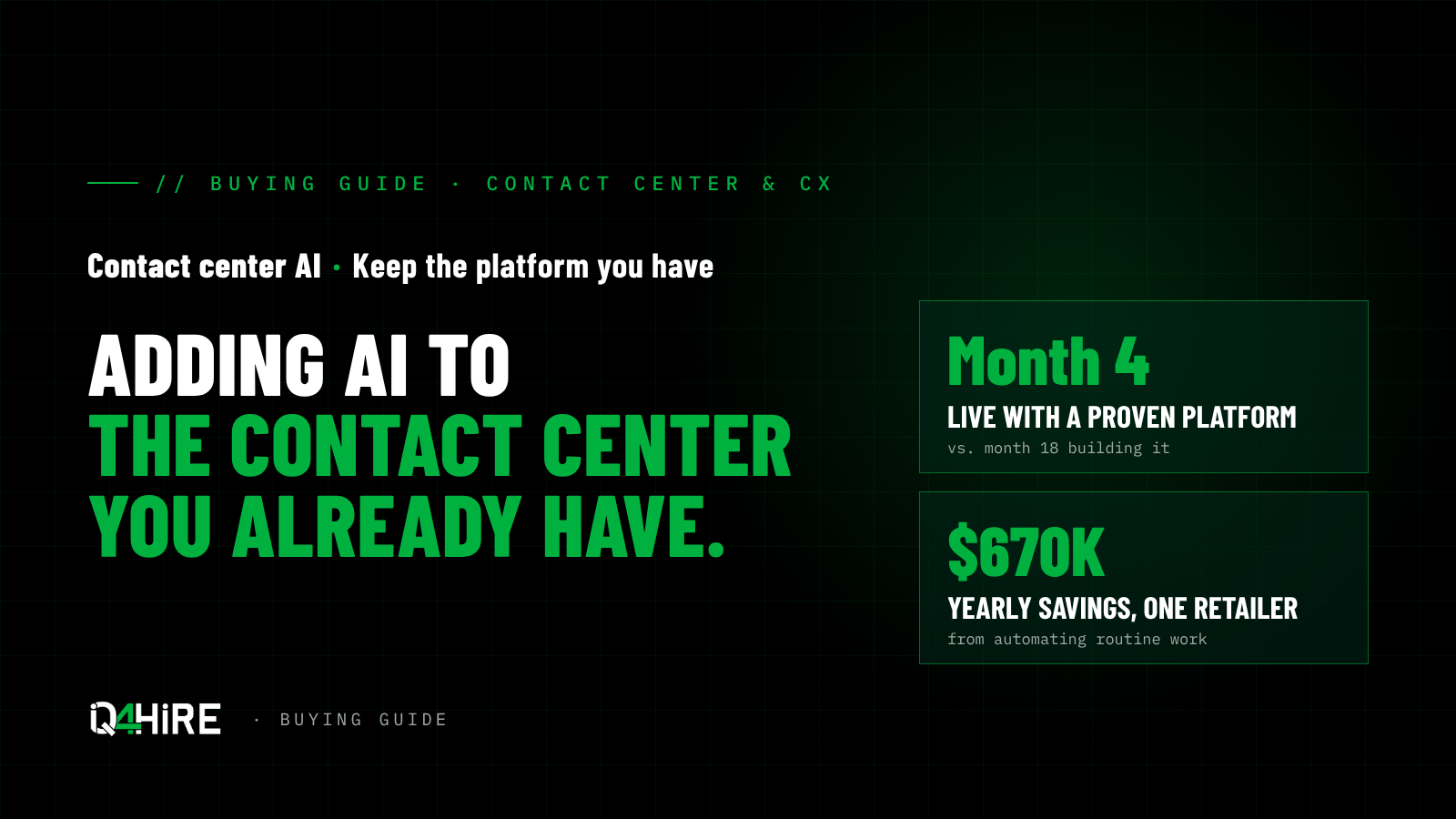
- The payoff is real, and speed unlocks it. Take one national retailer's customer service center:
- About 430,000 calls and chats a year, none of them automated.
- Automating routine work, such as verifying callers, answering common questions and checking for fraud, is worth about $670,000 a year.
- A proven platform goes live in month four. A from-scratch build would go live in month eighteen.
- That head start alone is worth close to $800,000.
- The winning pattern: one specific job, a proven platform, results measured from day one.
The numbers: buy versus build

| Buy the platform | Build it in-house | |
|---|---|---|
| Contact volume | About 430,000 calls and chats a year | Same |
| Working demo | Weeks | About two weeks |
| Live in production | Month 4 | Month 18 (vendor estimate: 12 to 24) |
| Savings once live | About $670,000 a year, roughly $56,000 a month | Same, once it finally runs |
| Savings lost to delay | None | About $800,000 over 14 months, never recovered |
| After launch | Vendor maintains voice, handoffs, compliance and scale | Your team re-tests every time the AI model changes |
The vendor's own chart showed a lean build could cost less per year than the platform once both were running. On sticker price, building can win. On time, it rarely does. Build what makes you different; buy what makes you fast.
What you can add, and what to measure
| Add-on | What it does | Good first use | Measure |
|---|---|---|---|
| Call summaries | Writes notes and dispositions after each call | Any team with long after-call work | Minutes saved per call; note quality |
| Agent assist | Suggests answers and flags compliance during calls | Complex or regulated calls; new agents | Handle time; first-call resolution; ramp time for new hires |
| Automated QA and analytics | Scores every call and finds trends | Teams scoring only a few calls a month | Share of calls scored; compliance misses caught; coaching time |
| AI agents | Resolve simple requests end to end | High-volume, low-risk requests such as order status or password resets | Containment rate; customer satisfaction; transfers to humans |
Summaries and agent assist are usually the safest place to start: they help your people rather than face your customers, and the savings are easy to see. AI agents bring the biggest savings but carry the most risk, so start them on one simple, high-volume request.
Find the real gap before you buy
We score contact centers against nine layers. The biggest problems are rarely inside one layer; they sit in the seams between them. Many "unified platform" claims describe a unified screen, not unified data, and that difference is usually where the real gap is.
| Layer | What it covers | Common gap |
|---|---|---|
| 1. Channels | Voice, chat, text, social, video | Video and messaging missing or bolted on |
| 2. Telephony and routing | Phone lines, call routing | Calls routed before the system knows who the customer is |
| 3. Front door | Phone menu (IVR) or chat entry | Old press-1 menus that frustrate customers |
| 4. Conversational AI | Understanding what the customer wants | Voice and chat bots built separately, giving different answers |
| 5. Orchestration | Turning a request into a finished task | AI that can answer but can't actually do anything |
| 6. Data and knowledge | Customer records, CRM, knowledge base | AI and routing can't see the customer record |
| 7. Agent experience | Agent desktop, assist, handoff | Agents get a summary, not the full story, so customers repeat themselves |
| 8. Analytics and quality | Scoring, insights, audit trail | Humans and AI agents scored separately, or not at all |
| 9. Security and compliance | Identity, payments, privacy | Checks done in different places with no single owner |
Two seams cause most of the pain: context that doesn't travel from the AI to the human agent (layers 4 to 7), and routing that can't see the customer record (layers 2 to 6). Fix those and most add-ons pay off faster.
From where you are to where you need to be
AI is a means, not the goal. The goal is a contact center that keeps customers, costs less per contact and holds its own against competitors. Work back from the business outcomes.
Step 1: Know your numbers. Before buying anything, set a baseline for the outcomes your leadership actually cares about:
| Business outcome | What to measure |
|---|---|
| Lower cost | Cost per contact; after-call work time; share of contacts handled without a person |
| Faster resolution | First-contact resolution; average handle time; transfers and callbacks |
| Happier customers | Customer satisfaction; repeat contacts; complaints |
| Stronger team | Agent attrition; time for a new hire to reach full speed |
| More revenue | Conversion on sales calls; saves on cancellation calls; revenue per contact |
| Less risk | Share of calls scored for compliance; misses caught |
Step 2: See where you stand against competitors. Industry averages tell you little. Call your top three competitors' service lines and use their chat and apps. How fast do they answer? Can they fix the problem in one contact? Can you reach a person? That's the bar your customers compare you to.
Step 3: Close the gap in stages. Each stage pays for the next and builds on clean data from the one before.
| Stage | Timeframe | What you add | Outcomes it should move |
|---|---|---|---|
| 1. Stabilize | 0–3 months | Baseline metrics; full context at handoff; AI call summaries | After-call work time; repeat contacts |
| 2. Assist | 3–9 months | Agent assist; automated scoring of every call | Handle time; first-contact resolution; new-hire ramp; compliance coverage |
| 3. Automate | 6–18 months | AI agents on your top three to five simple requests | Cost per contact; share resolved without a person; after-hours service |
| 4. Compete | 12–24 months | Personalized routing and offers; proactive outreach; a platform decision based on proof | Retention; revenue per contact; customer satisfaction against competitors |
Step 4: Decide the platform last. By stage 3 you'll have real data on what works. That's when to decide whether to keep your platform, consolidate onto one vendor or move, and you'll negotiate from evidence instead of a demo.
Your three paths
| Path | Best when | Watch out for |
|---|---|---|
| Use your platform's own AI | You're on a modern cloud platform (NICE CXone, Genesys Cloud, Five9, Talkdesk) and happy with it | AI is often priced as a higher tier or per session; check what's included |
| Add an AI agent platform on top | You want AI agents but aren't ready to replace your platform, including older on-premises systems | Make sure the connector to your platform is supported and in the contract |
| Add a specialist for assist and QA | Your priority is helping agents and scoring calls, not automating customers | Another vendor and contract to manage; confirm it works with your platform |
Know which pitch you're hearing. Some vendors sell consolidation: replace your phone system, routing and agent desktop with their platform, AI included. Others sell augmentation: keep what works and add AI to the layers where you have gaps. Both can be right. Score each proposal layer by layer against your gaps, not against the vendor's demo.
On Avaya or another on-premises system?
Adding AI on top is often the smartest first move, but the clock on the system underneath is running:
- Avaya ended new sales of Agent for Desktop on July 20, 2026, and from October 23, 2028 existing customers can't buy additions or expansions for it. (Avaya)
- Avaya Aura Platform 10.1, including Call Center Elite, lost manufacturer support on January 1, 2026. (Avaya)
Avaya still offers an upgrade path, so this isn't a forced exit. But choose AI add-ons that work with your next platform too, not only today's, and get your Avaya contract and renewal dates on the table before you sign anything long.
Vendors to look at
All are in the IQ4hire portfolio. This is where to start, not a ranking. Our contact center supplier briefs cover each one in more depth.
| Need | Vendors | Why |
|---|---|---|
| AI agents on top of almost any platform | NICE Cognigy | Sold standalone as well as inside NICE CXone; documented connectors for Genesys, Amazon Connect, Avaya, Five9 and others |
| Voice AI and automation on top of existing systems | IntelePeer / Aqurio, SoundHound AI | Automate routine calls without replacing the platform underneath. IntelePeer's AI business now runs as Aqurio; SoundHound added LivePerson's chat and messaging in 2026 |
| Already on NICE CXone, or ready to consolidate | NICE CXone Mpower (Copilot, AI agents) | Assist, summaries, AI agents and quality management on one platform |
| Phones, meetings and contact center on one platform | Zoom (Zoom Phone, Contact Center, Virtual Agent, AI Expert Assist) | One app, one subscription and one customer history; video built in |
| Already on Genesys, Five9, Talkdesk or UJET | Your platform's own AI | Often the fastest start; compare against an add-on on price |
| Agent assist, coaching and automated QA | Balto, Cresta, Observe.AI, Level AI, Uniphore | Specialists in live guidance, scoring every call and coaching |
| Analytics on conversation data | Dimension Labs | Makes sense of unstructured conversation data across systems |
| Digital and messaging AI agents | Quiq, Yellow.ai, Sprinklr | Built around chat, text, social and messaging |
| Outbound and sales AI | Regal | AI for outbound calling and sales follow-up |
Selling to government
Government buyers need services authorized for their use. Confirm the exact product and level on the FedRAMP Marketplace before you shortlist.
- NICE CXone: FedRAMP authorized at the Moderate level since 2018. Cognigy AI agents are planned for its FedRAMP environment in the first half of 2027. (NICE)
- Zoom for Government: Zoom Contact Center, Phone and Meetings are FedRAMP Moderate authorized; Zoom for Government also holds DoD IL4. (Zoom)
- Talkdesk: FedRAMP Moderate authorized. Content Guru: the first contact center platform authorized at FedRAMP High. (UC Today)
- IntelePeer: TX-RAMP Level 2 certified for Texas state agencies and public institutions. (IntelePeer)
Who can assess you
An independent assessment before you buy is the cheapest insurance you'll get. These firms in our portfolio do contact center assessment, design and implementation:
| Firm | Strength |
|---|---|
| Waterfield Tech | CX consulting, architecture and AI implementation across Avaya, Cisco, Genesys, Five9 and Amazon Connect; a Google Cloud partner for Contact Center AI |
| Call Center Power | CX consultancy and implementer for Amazon Connect, Genesys Cloud, Zendesk and Zoom, including public sector |
| Mindsight | Consulting and managed services across contact center, collaboration and infrastructure |
| NTT Data (Cloud Communications) | Consulting, project management and change management for cloud communications |
A firm that assesses you may also want to build what it recommends. That's not wrong, but keep the scoring framework and the final decision independent. That's the role we play.
What it costs
Most vendors quote AI privately, so get prices at your volumes. NICE publishes a useful reference point:
- Its top suite, which includes Copilot and AI agents, lists at $249 per agent per month plus $0.25 per AI session. Below that tier, Copilot and AI agents are add-ons. (Usage Pricing, Cekura)
- Worked example: 50 agents and 20,000 AI sessions a month comes to about $12,450 in seats plus $5,000 in sessions. (Usage Pricing)
The lesson for any vendor: usage can add a third or more to the bill, so cap it or commit to a rate.
Traps
- Cutting staff on promised savings. Gartner warns of a "cut fast, rehire later" trap when headcount is reduced on expected AI value rather than results. (CMSWire) Prove it first.
- AI on top of a messy knowledge base. Bad answers, delivered faster. Clean up the top 20 articles first.
- Open-ended usage pricing. Per-session and per-resolution charges grow with success. Get a cap or a committed rate.
- Mixing the add-on and platform decisions. An AI add-on often leads to a wider platform conversation later, which can be a good path. Keep the two contracts separate so each decision stands on its own results.
- Connectors that disappear. If the AI runs on another vendor's platform, write the connector and a notice period for any change into the contract. (Trillet)
- No baseline. Measure handle time, resolution and satisfaction before you switch anything on, or you'll never prove the value.
Questions to ask every vendor
- Does it work with our current platform today, through a supported connector, and will you commit to that in writing?
- Which use case would you start with for us, and how long until it's live?
- What will we pay at our volumes, including per-session or per-resolution charges?
- Can we run a paid pilot with clear success measures and an exit if it misses?
- Which customers our size use this on our platform? Can we talk to them?
- What does the AI do when it doesn't know the answer, and how fast does it hand off to a person?
- Who owns our transcripts and any models trained on our data?
- If we keep our platform for three more years, does this still make sense? If we switch, does it move with us?
How IQ4hire helps
We start with where your agents lose the most time and where customers wait the longest. Then we compare your platform's own AI against the add-ons that fit, scope a pilot with clear measures, and negotiate usage caps and connector terms. If the pilot makes the case for a new platform later, our CCaaS buying guide picks up from there. No RFP, and no cost to you.
Not sure where to start? The Contact Center AI Path Advisor asks 12 questions and recommends a path with matched suppliers.
Sources
- CX Today, NiCE Closes Cognigy Acquisition
- NICE, CXone FedRAMP for Government
- Zoom, Zoom Contact Center for Zoom for Government receives FedRAMP JAB authorization
- UC Today, Why FedRAMP Is the Ultimate Badge of Trust in Cloud Services
- IntelePeer, Awarded TX-RAMP Certification
- CMSWire, IntelePeer Launches Aqurio
- SoundHound AI, Completes Acquisition of LivePerson
- Trillet, Cognigy alternatives
- Gartner, 21% of Service Leaders Have Reduced Human Agent Headcount Because of AI
- CMSWire, Just 4% of Customer Service Leaders Hit Their Expected Automation Returns
- Usage Pricing, NICE CXone pricing blueprint
- Cekura, NICE CXone Pricing 2026
- Avaya, End of Sale: Avaya Agent for Desktop
- Avaya, End of Manufacturer Support: Avaya Aura Platform 10.1
- CX Today, Avaya Ends New Sales of Agent for Desktop